简体中文
简体中文 ENGLISH



 All Products
 Home
Home Products
 About
About News
News Download
 Contact
How to Choose an HDMI Extender for Fiber, Cat6 and KVM AV Systems
An HDMI extender is not just a longer cable. In a meeting room, control room, classroom or commercial display system, the right extender depends on resolution, distance, cabling, local loop monitoring and whether USB keyboard and mouse control must travel with the video signal.
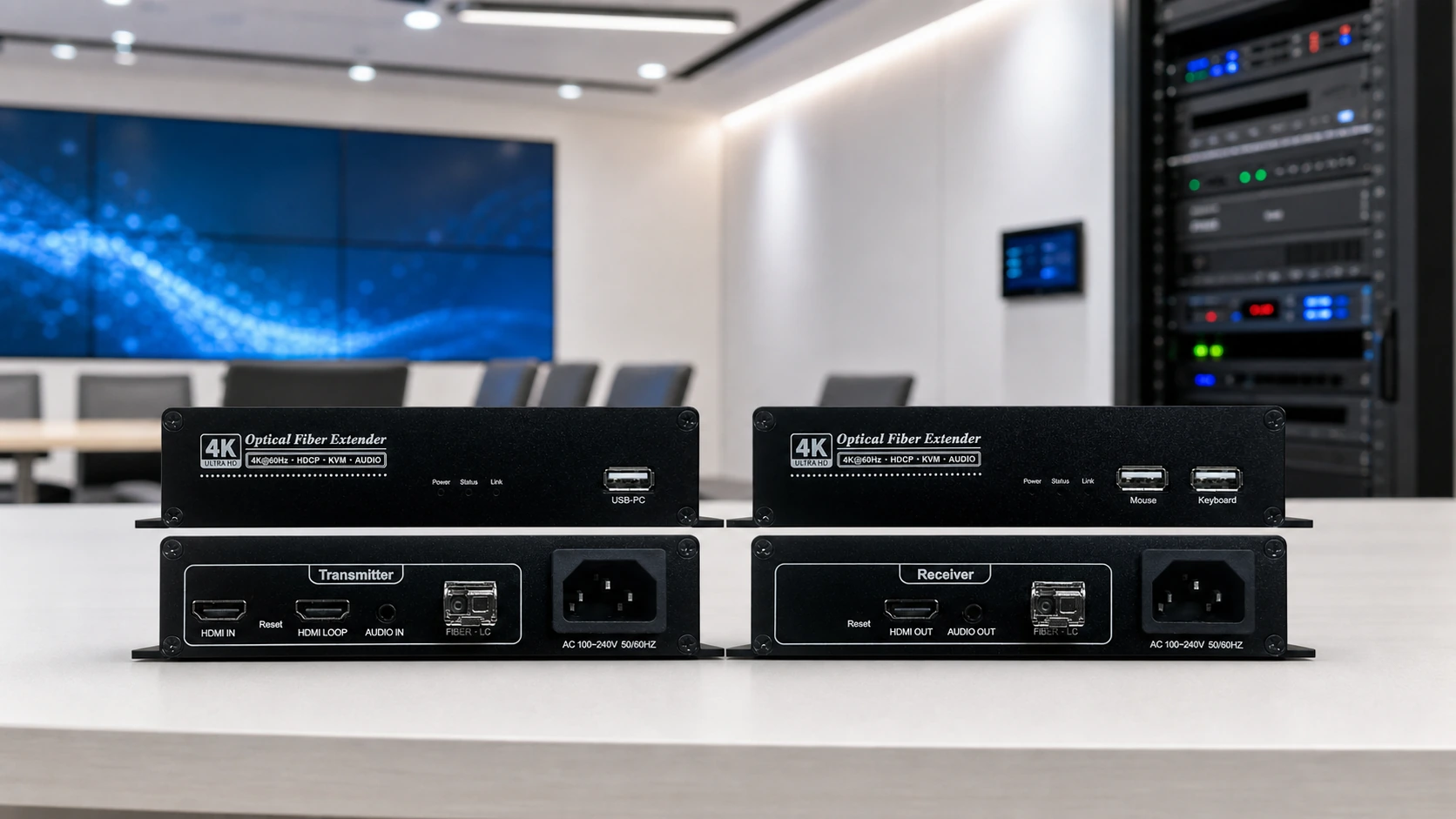
Many buyers search for an HDMI cable extender, HDMI video extender, HDMI fiber extender or HDMI KVM extender when the real question is simpler: what is the distance, what resolution is required, and what must be controlled at the far end?
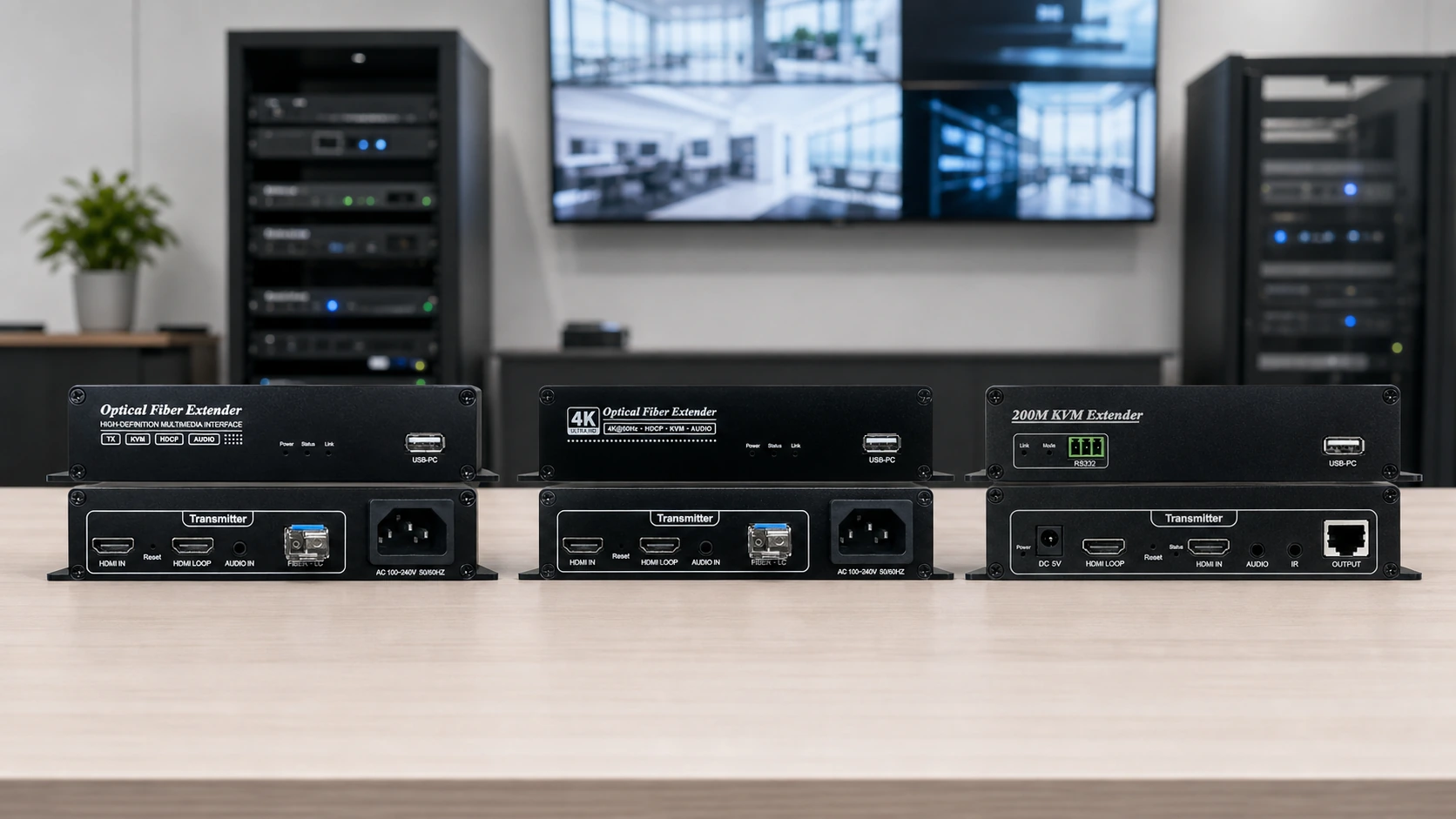
This guide explains how to separate common extender search terms and where Amoonsky transmission products fit. The article focuses on source-backed Amoonsky product directions: HTR1L for 1080p HDMI optical extension, HTR4K for 4K60 HDMI optical extension, HE200 for 200 m HDMI over CAT5e/6 with KVM, and DTR for DVI optical extension.
Start with the cable path, not the keyword
Search phrases such as extender HDMI, HDMI extenders and HDMI extender receiver are broad. They can point to different system designs. A fiber route is different from a CAT5e/6 route; a 4K room is different from a 1080p monitoring point; a simple display extension is different from a KVM extender that must carry keyboard and mouse control.
Useful rule: if the project needs long distance and electrical isolation, look at optical fiber first. If the project is a 1080p room or monitoring path over existing network cable, look at CAT5e/6. If the operator needs mouse and keyboard control at the receiver side, include KVM in the selection.
Where each Amoonsky extender direction fits
1080p HDMI optical fiber extender
Use this direction when the project needs a source-backed HDMI optical extender for 1080p60 signal extension. The verified family boundary is 1TX to 1RX, local HDMI loop, audio-video sync, KVM, 20 km single-mode variants and a 500 m multi-mode variant.
4K60 HDMI fiber extender
Use this direction for 4K HDMI extender, 4K HDMI fiber extender, HDMI fiber optic extender and HDMI extender over fiber optic intent. The verified boundary is 4K60, 1TX to 1RX, local HDMI loop, audio-video sync, KVM and model-specific 300 m / 10 km / 20 km fiber distance.
HDMI over CAT5e/6 with KVM
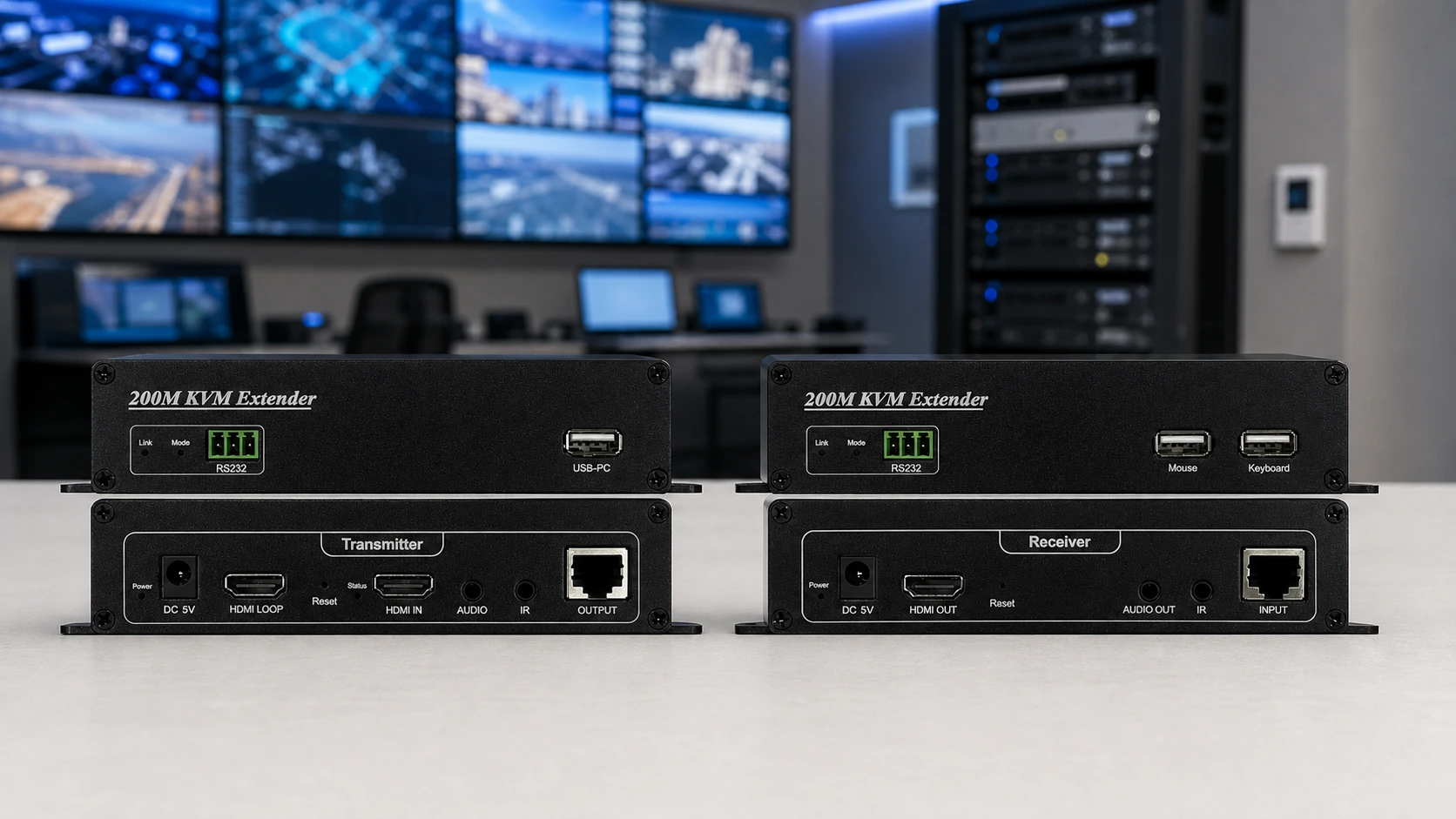
Use HE200 for HDMI extender over CAT6, HDMI over Cat 6 extender, HDMI to Ethernet extender, HDMI extender over IP and HDMI with USB extender searches when the verified project requirement is 1080p60, up to 200 m over CAT5e/6, TX local HDMI loop and USB KVM.
DVI fiber extender
Use the DTR direction for DVI fiber extender and related DVI optical transmission intent. The verified family should be handled by model: DTR4L, DTR2L and DTR1L differ by optical port count and distance. Do not turn the source title “Mini-DVI” into a physical interface claim without checking the model boundary.
Choosing between fiber and CAT5e/6
A fiber optic HDMI extender, HDMI over fiber extender or optical HDMI extender is usually the better search direction when the system needs long-distance transmission with optical fiber. For Amoonsky, this points mainly to HTR1L or HTR4K depending on whether the project is 1080p60 or 4K60.
A CAT5e/6 path is different. HE200 is a 200 m KVM IP extender over network cable, with 1080p60 as the verified resolution boundary. That makes it relevant for searches such as HDMI extender over CAT5e/6, HDMI extender over CAT6 and HDMI KVM extender, but it should not be described as a 4K product, a wireless extender or a PoE/PoC product.
Resolution and distance should control the product match
| Search intent | Better Amoonsky direction | Verified boundary to keep |
|---|---|---|
| HDMI extender 1080p, HDMI optical extender | HTR1L / 1S / 2S | Up to 1080p60, 1TX to 1RX, 20 km single-mode variants or 500 m multi-mode variant |
| 4K HDMI extender, HDMI fiber extender, HDMI over fiber extender | HTR4K | 4K60, 1TX to 1RX, LC fiber, 300 m multi-mode or 10/20 km single-mode by model |
| HDMI extender over Cat6, HDMI KVM extender, HDMI to Ethernet extender | HE200 | 1080p60, 200 m over CAT5e/6, TX HDMI LOOP, USB keyboard and mouse KVM |
| DVI fiber extender, mini DVI extender | DTR family | DVI-D socket, DVI 1.0, DTR4L / DTR2L / DTR1L handled separately |
How to treat adjacent searches like HDBaseT and wireless extender
Some visitors arrive through adjacent terms such as HDBaseT extender, HDBT extender, HDMI extender wireless or wireless video transmitter. These terms should be handled carefully. They may express the buyer’s need for long-distance AV transmission, but they do not automatically match the verified Amoonsky products in this article.
For this product group, HE200 should be written as a wired CAT5e/6 KVM IP extender, not a wireless extender. HTR1L and HTR4K should be written as optical fiber extenders, not HDBaseT devices. If a project truly asks for wireless transmission, it should be routed to a separately verified wireless product instead of being forced into HTR, HE200 or DTR.
A practical buying checklist
Choose HTR4K when the project needs a source-backed 4K HDMI extender with fiber transmission and KVM.
Choose HTR1L / 1S / 2S when the project is a 1080p HDMI optical fiber extension route.
Choose HE200 when the project needs HDMI over CAT5e/6, 200 m transmission and USB KVM at 1080p60.
Choose DTR when the project is DVI-based and should be handled as a DVI fiber extender application.
Do not mix 300 m multi-mode and 10/20 km single-mode claims into one HTR4K model without confirming the exact variant.
Do not describe HE200 as 4K, wireless, PoE/PoC or HDMI2.0 unless new source material confirms a different product.
Final thought
The best HDMI extender article does not simply repeat every search phrase. It helps the reader map the search phrase to a real signal path. For Amoonsky transmission projects, the cleaner path is to separate optical fiber, CAT5e/6 KVM and DVI extension first, then choose the matching product family and variant.